
Patch Panel vs Network Switch: What Does Each One Do?
Posted by

admin
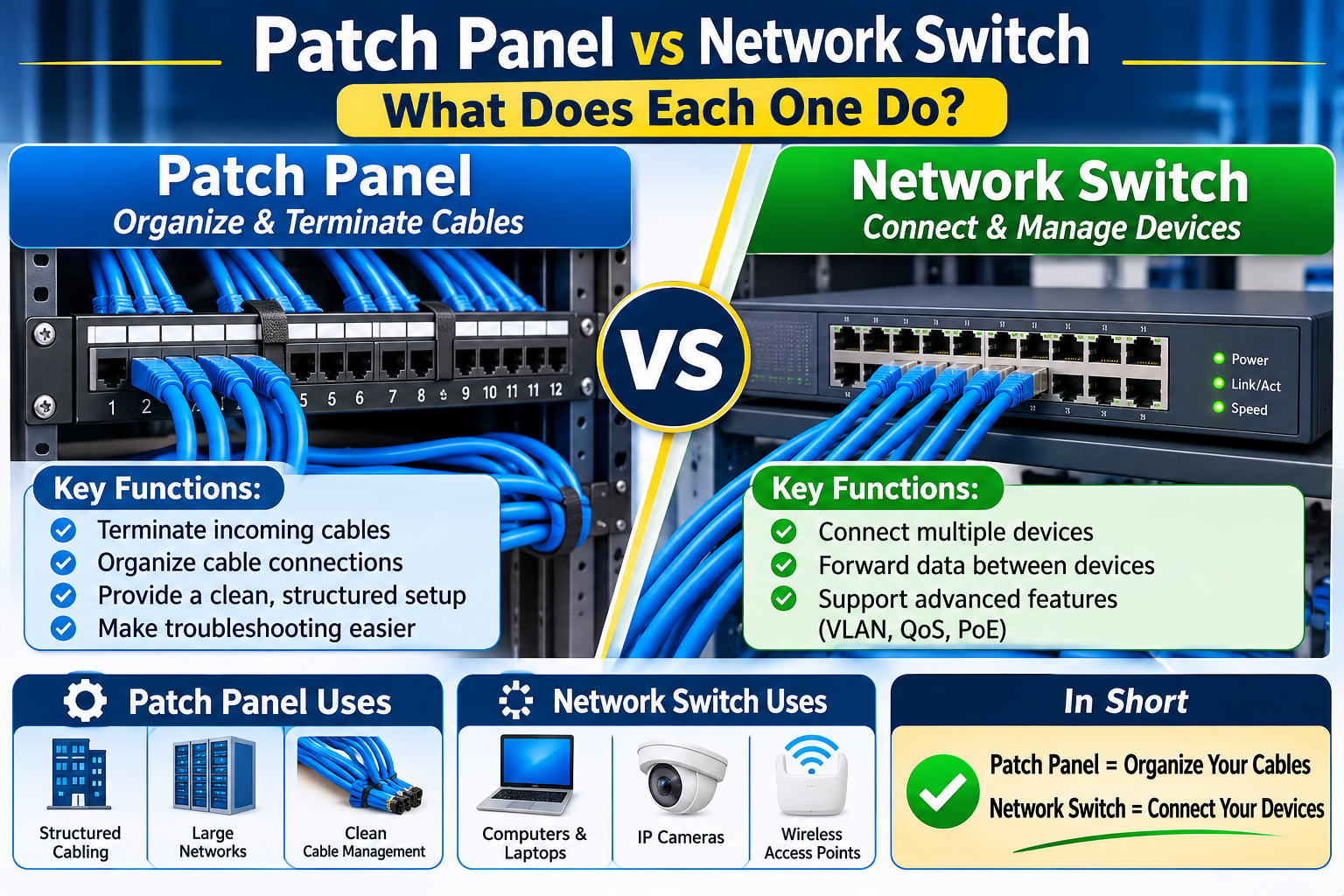
When setting up an office network, data center, or structured cabling system, two important pieces of equipment are often installed together: patch panels and network switches. Although they may look similar and both contain multiple Ethernet ports, they serve very different purposes.
Understanding the difference between a patch panel and a network switch can help you design a more organized, reliable, and manageable network.
What Is a Patch Panel?
A patch panel is a passive networking component used to organize and terminate Ethernet cables in a central location. It provides a convenient connection point between permanent cables running through walls, ceilings, and work areas.
Instead of connecting every installed cable directly to a network switch, technicians terminate the cables at the patch panel and use short Ethernet patch cords to connect the required ports to the switch.
Key Benefits of a Patch Panel:
- Keeps Ethernet connections organized.
- Simplifies cable management.
- Makes troubleshooting and maintenance easier.
- Allows technicians to change network connections without disturbing permanent cabling.
- Provides a clean and professional structured cabling installation.
Patch panels do not process network traffic, amplify signals, or provide power to connected devices.
What Is a Network Switch?
A network switch is an active networking device that connects computers, printers, IP cameras, wireless access points, and other devices within a local area network (LAN).
Unlike a patch panel, a network switch processes Ethernet frames and forwards data to the appropriate destination based on MAC addresses.
Network switches are available in different configurations, including unmanaged and managed models. Managed switches offer additional features such as VLANs, traffic monitoring, Quality of Service (QoS), and network access controls.
Some switches also support Power over Ethernet (PoE), allowing compatible devices to receive electrical power and network connectivity through a single Ethernet cable.
Patch Panel vs Network Switch: Key Differences
| Feature | Patch Panel | Network Switch |
|---|---|---|
| Main Purpose | Cable organization | Device connectivity |
| Operation | Passive | Active |
| Data Processing | No | Yes |
| Power Required | No | Yes |
| PoE Support | No | Available on compatible models |
| Main Function | Cable termination | Data forwarding |
| Common Location | Network rack | Network rack |
How Do They Work Together?
In a typical office network, permanent Ethernet cables run from individual workstations, cameras, and access points to a central network cabinet.
These cables terminate at a patch panel. Short patch cords then connect the required patch-panel ports to a network switch.
The switch connects the devices to the local network and, through a router, provides access to the internet.
This arrangement keeps permanent cabling organized while making network connections easier to manage and change.
Do You Need Both a Patch Panel and a Network Switch?
For a small home network with only a few devices, a network switch may be sufficient. However, businesses, commercial buildings, and larger office installations can benefit significantly from using both.
A patch panel provides structured cable management, while a network switch handles communication between connected devices.
For professional installations, combining both components creates a cleaner network cabinet, simplifies troubleshooting, and makes future expansion easier.
Final Recommendation
A patch panel and a network switch are not competing devices; they perform complementary functions. The patch panel organizes and terminates Ethernet cabling, while the network switch connects devices and forwards network traffic.
If you are building a new office network or installing structured cabling, using both components is a practical way to create an organized, scalable, and reliable networking infrastructure.
About admin