What Is a Network Rack? Complete Guide to Server & Network Racks
Posted by

admin
A network rack is an essential part of modern IT infrastructure. It provides a centralized location for installing and organizing networking equipment such as switches, routers, patch panels, servers, and power distribution units (PDUs). Whether you are managing a small office network or a large data center, a properly designed network rack helps keep equipment organized, improve cable management, and simplify maintenance.
1. What Is a Network Rack?
A network rack is a metal frame or cabinet designed to hold networking and IT equipment in a secure and organized arrangement. Most standard racks use a mounting system measured in rack units (U), where 1U equals 1.75 inches.
Network racks are commonly used in offices, server rooms, telecommunications facilities, and data centers.
2. Different Types of Network Racks
Wall-Mount Racks: These compact racks are designed for small offices and locations with limited floor space. They are commonly used for switches, patch panels, and routers.
Floor-Standing Racks: These larger cabinets provide more mounting capacity for servers, switches, UPS systems, and other networking equipment. They are suitable for server rooms and business environments.
Open-Frame Racks: Open-frame racks provide easy access to equipment and cables. They are commonly used in secure server rooms where additional physical enclosure protection is not required.
3. Common Server Rack Sizes
Network racks are available in different sizes depending on equipment requirements.
| Rack Size | Common Application |
|---|---|
| 6U | Small network installations |
| 12U | Small offices |
| 24U | Medium-sized businesses |
| 42U | Enterprise networks and data centers |
| 47U | High-density installations |
Choosing the right rack size depends on the number of devices, available space, equipment depth, and future expansion plans.
4. Essential Components Inside a Network Rack
A typical network rack contains several components that work together to maintain an organized network.
-
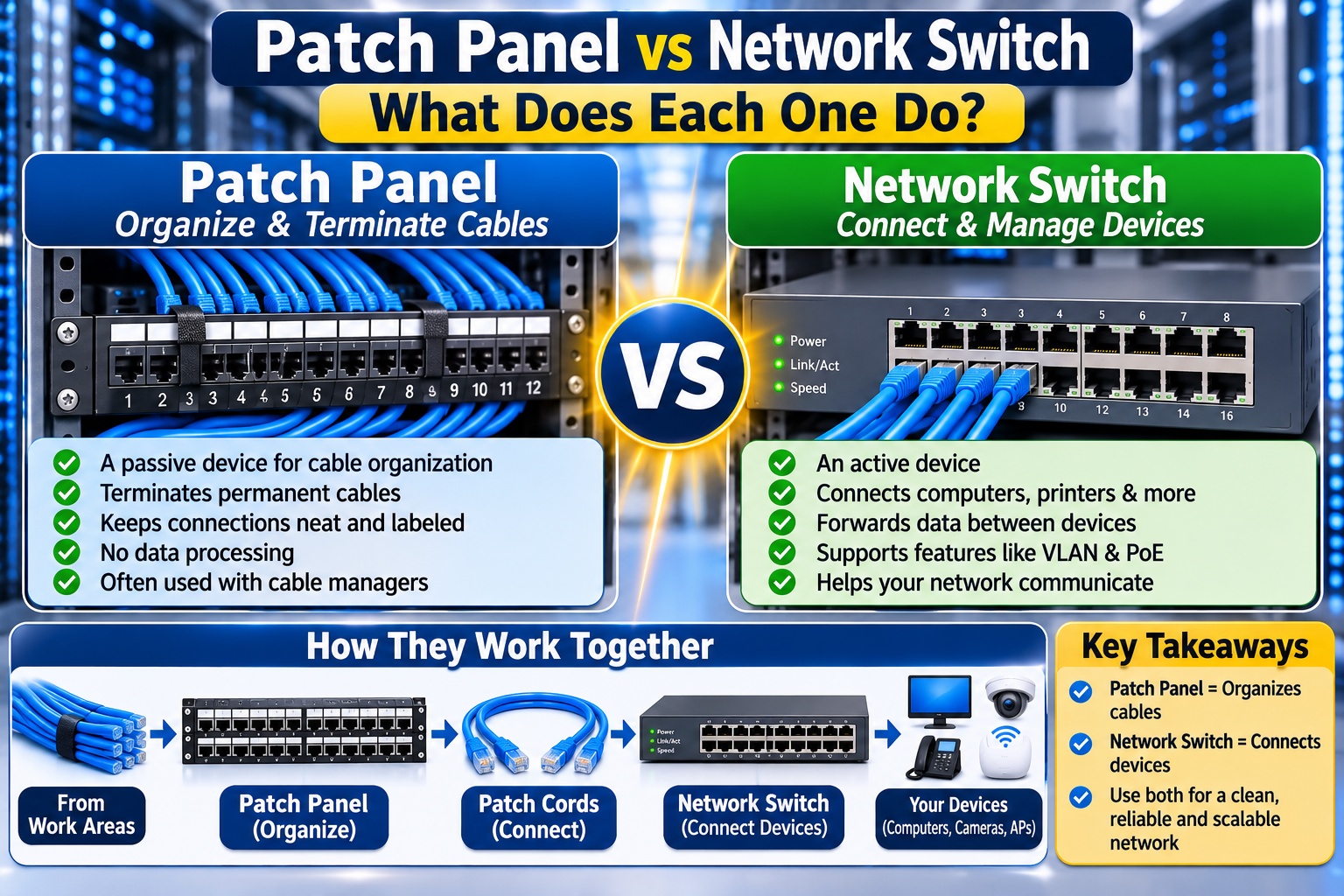
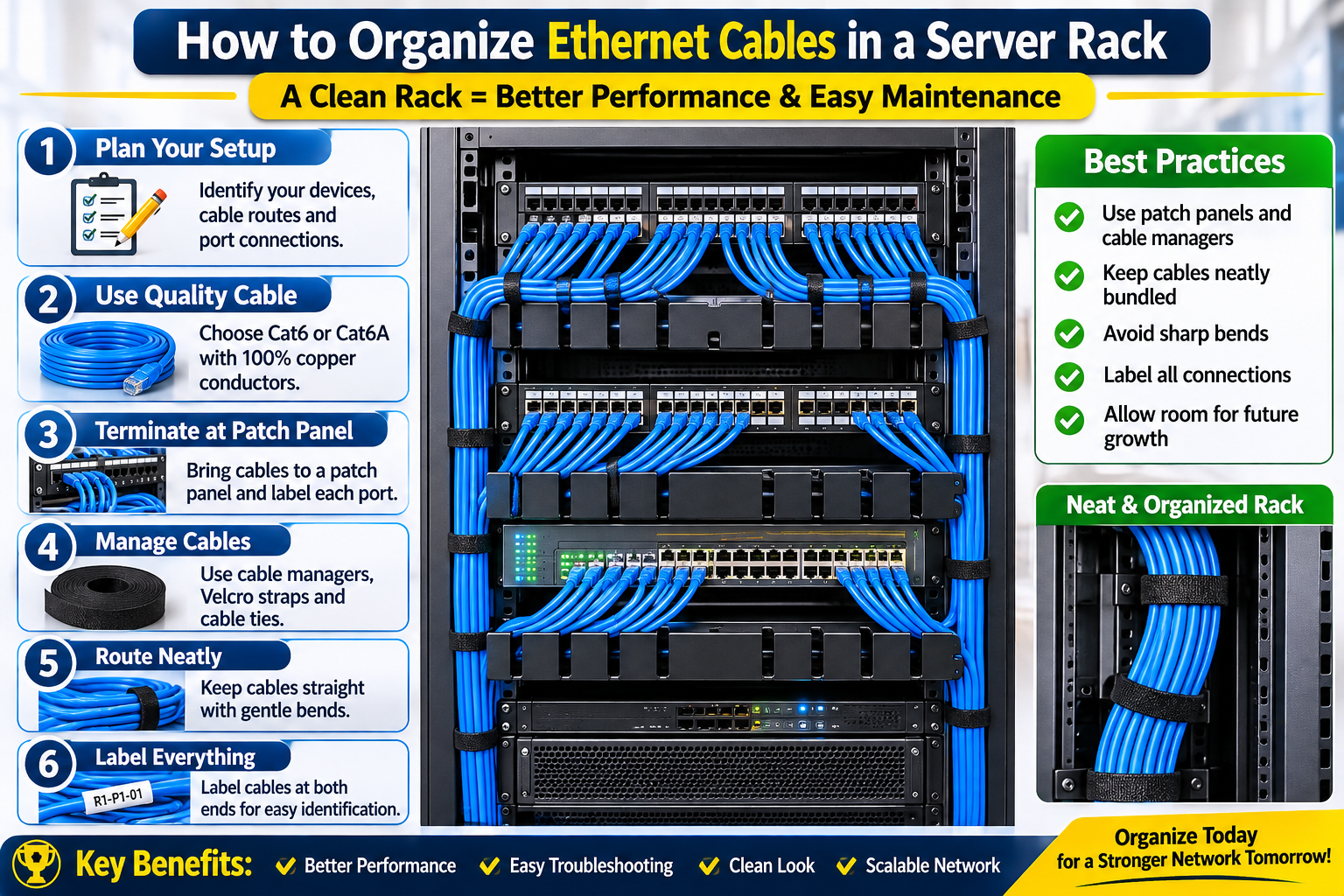
Patch Panel: Organizes and terminates incoming Ethernet cables.
-
Network Switch: Connects computers, cameras, access points, and other devices.
-
Router: Connects the internal network to external networks and the internet.
-
Cable Manager: Keeps Ethernet cables organized and prevents clutter.
-
PDU: Distributes electrical power to rack-mounted equipment.
-
UPS: Provides temporary backup power during electrical interruptions.
5. Benefits of Using a Network Rack
A properly installed network rack offers several advantages:
-
Better Organization: Keeps networking equipment and cables in one central location.
-
Improved Airflow: Helps maintain appropriate airflow around equipment.
-
Easy Maintenance: Makes troubleshooting and equipment replacement easier.
-
Enhanced Security: Enclosed racks can help restrict unauthorized physical access.
-
Future Expansion: Provides space for additional switches, servers, and networking devices.
6. How to Choose the Right Network Rack
Before purchasing a network rack, consider the following factors:
-
Equipment Size: Check the height, width, and depth of all devices.
-
Rack Capacity: Choose enough rack units for current equipment and future upgrades.
-
Cooling Requirements: Ensure proper ventilation and airflow.
-
Cable Management: Look for suitable cable entry points and management accessories.
-
Weight Capacity: Make sure the rack can safely support all installed equipment.
-
Security: Consider lockable doors and side panels where necessary.
Final Recommendation
A network rack is more than just a cabinet for holding IT equipment. It provides the foundation for an organized, accessible, and scalable network infrastructure.
For small businesses, a wall-mount or 12U rack may be sufficient. Growing offices can benefit from 24U racks, while larger organizations and data centers often require 42U or 47U cabinets.
Choosing the right rack and combining it with quality patch panels, network switches, cable managers, and proper ventilation helps create a reliable network environment that can support future business growth.
About admin
Related Posts